



Is SurferSEO actually worth paying for in 2026, or is it just another SEO tool riding the AI search hype wave? That’s the question I get asked most often by other content marketers and agency owners, so I’m answering it here based on real, hands-on use of SurferSEO’s Scale plan across client work, not a demo account I poked around in for an afternoon.
This post breaks down what SurferSEO does well, where it falls short, what it actually costs once you factor in add-ons, and whether it’s still a smart investment now that “ranking” means showing up in Google and in ChatGPT, Perplexity, and AI Overviews.
Key Takeaways SurferSEO Review
- SurferSEO is still worth it for content teams in 2026, especially if you’re producing content regularly and need a repeatable optimization process — but the sticker price isn’t the real price once you add tools like AI Tracker, SERP Analyzer, or Rank Tracker.
- The Content Editor remains the standout feature. Real-time scoring against top-ranking pages is genuinely useful for writers and editors alike.
- Auto-Optimize will not get you to 100 on AI Search score. You still need a human pass to catch the overly long, robotic-sounding sentences SurferSEO tends to suggest.
- AI visibility tools (AI Tracker, Fanout Queries, Competitors) are only as good as your competitor list. Set this up wrong and your AI ranking data is essentially useless.
- Add-ons matter more than the base price. SERP Analyzer and Rank Tracker are not automatically included on every plan — Rank Tracker alone starts at $8.50/month on top of your subscription.
- Workflow order matters: optimize content in SurferSEO before you build out images for WordPress, or you’ll end up redoing visual work every time the copy changes.
What Is SurferSEO?
SurferSEO (Positive Surfer) is a content optimization platform built around one core idea: analyze what’s already ranking for a keyword, then tell you, in measurable terms, how your content compares.
It started as a straightforward on-page SEO tool but has expanded significantly to cover AI search visibility — tracking whether your brand shows up in answers from ChatGPT, Gemini, Perplexity, and Google’s AI Overviews.
For content teams, that combination is the whole appeal: one platform that (in theory) handles optimization for both traditional rankings and the newer world of AI-generated answers, often shorthanded as GEO or AEO (Generative/Answer Engine Optimization).
The Content Editor: Still the Core Reason to Use It
If you strip away every other feature, the Content Editor alone is why most teams subscribe.
You write or paste your draft into the editor and get a live Content Score, along with recommended keywords, NLP terms, heading structure, and word count benchmarks pulled from top-ranking competitors.
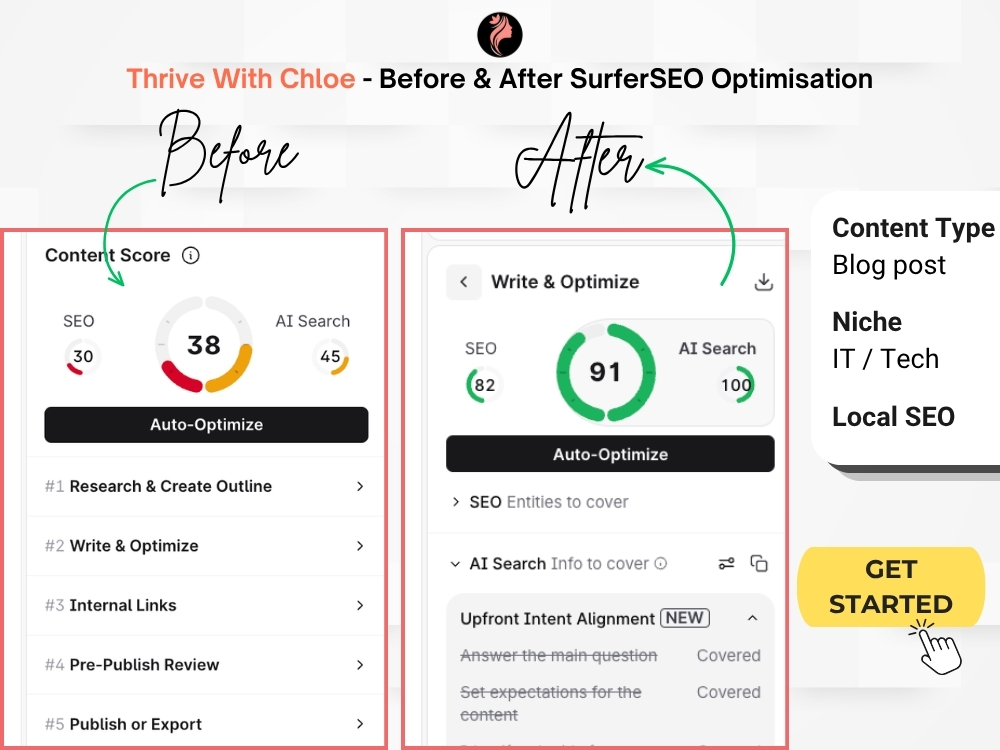
In practice, this is where SurferSEO earns its keep. Handing a writer a Content Editor brief instead of a vague “write 1,500 words on X” instruction genuinely improves consistency across a team, especially when you’re managing multiple writers who aren’t SEO specialists themselves. The scoring gives everyone the same target to hit, which cuts down on back-and-forth editing rounds.
That said, don’t confuse a high Content Score with good writing. This is the biggest workflow lesson I’ve picked up using it across client accounts: SurferSEO’s suggested phrasing can produce sentences that are far too long for readable web content, I’ve seen single-sentence suggestions running well past 300 characters.
As a rule of thumb, aim to keep most of your sentences under roughly 20 words (around 100–120 characters), with occasional longer ones for variety. Anything consistently longer than that starts to hurt readability scores and makes content feel mechanical, which works against you with both human readers and AI systems that increasingly favor clear, well-structured answers.
The workflow that actually works: run your draft through SurferSEO’s suggestions, review every recommendation with a human editor, then pass the flagged sections through a writing assistant like Claude to tighten sentence structure while keeping the SEO terms intact. Auto-Optimize alone will get you close, but in my experience it won’t push your AI Search score all the way to 100 — it needs that manual refinement pass.
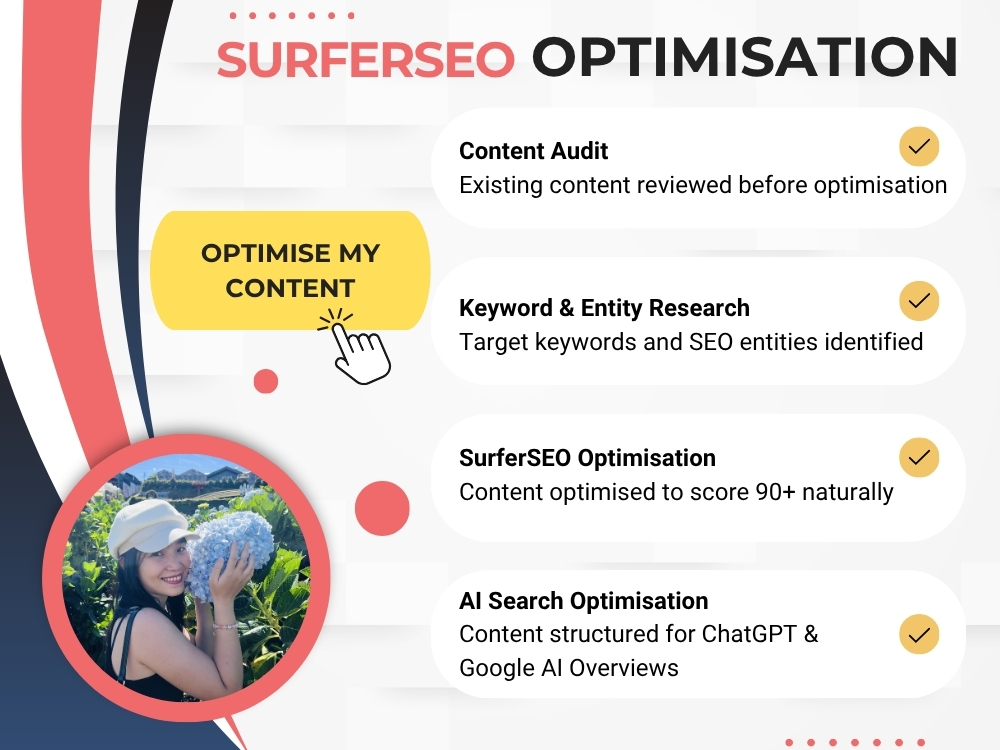
If you’d rather skip this part and hand it off, I offer a SurferSEO content optimisation service on Upwork that gets your content to 90+ AI Search score, with a full human editing pass included.
AI Visibility: The Feature Everyone’s Talking About in 2026
This is the part of SurferSEO that’s genuinely new territory compared to a few years ago. Under the “AI Visibility” section, you get:
- Overview – a snapshot of how visible your brand is across AI models
- Sources – which domains AI models are pulling from when answering relevant prompts
- Competitors – how your visibility compares to competitor brands
- Prompts – the actual prompts being tracked and how you show up in them
- Fanout Queries (currently in beta) – the related sub-questions AI models generate when answering a main prompt, which is incredibly useful for building out topic clusters that cover the full scope of what someone’s actually asking
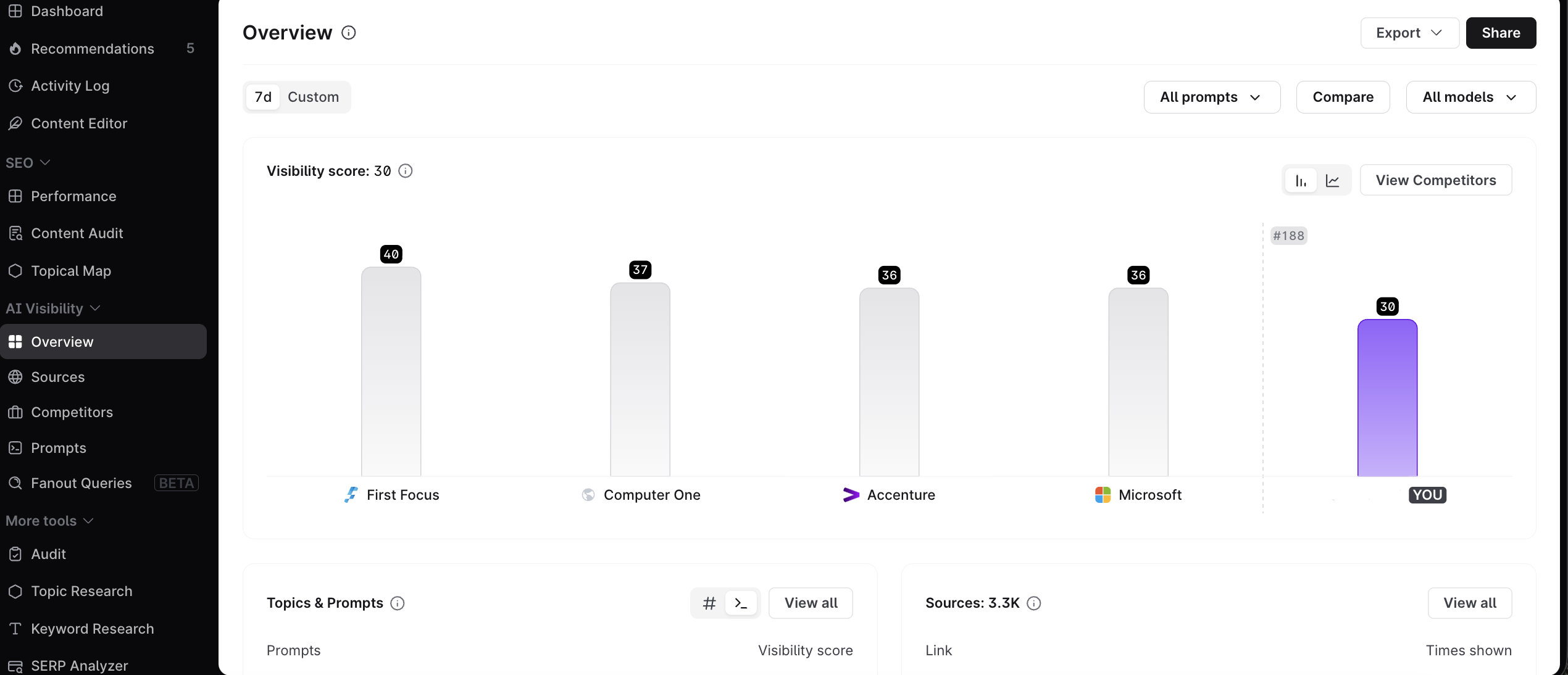
Here’s the part that trips people up: all of this data is only as reliable as your competitor list.
Your competitor list is everything here. If you include the wrong sites — or brands that aren’t actually competing with you — the prompt data and visibility insights you get back will be off. Take ten minutes to build this list carefully before you start pulling anything from it.
Pricing in 2026: What You Actually Pay
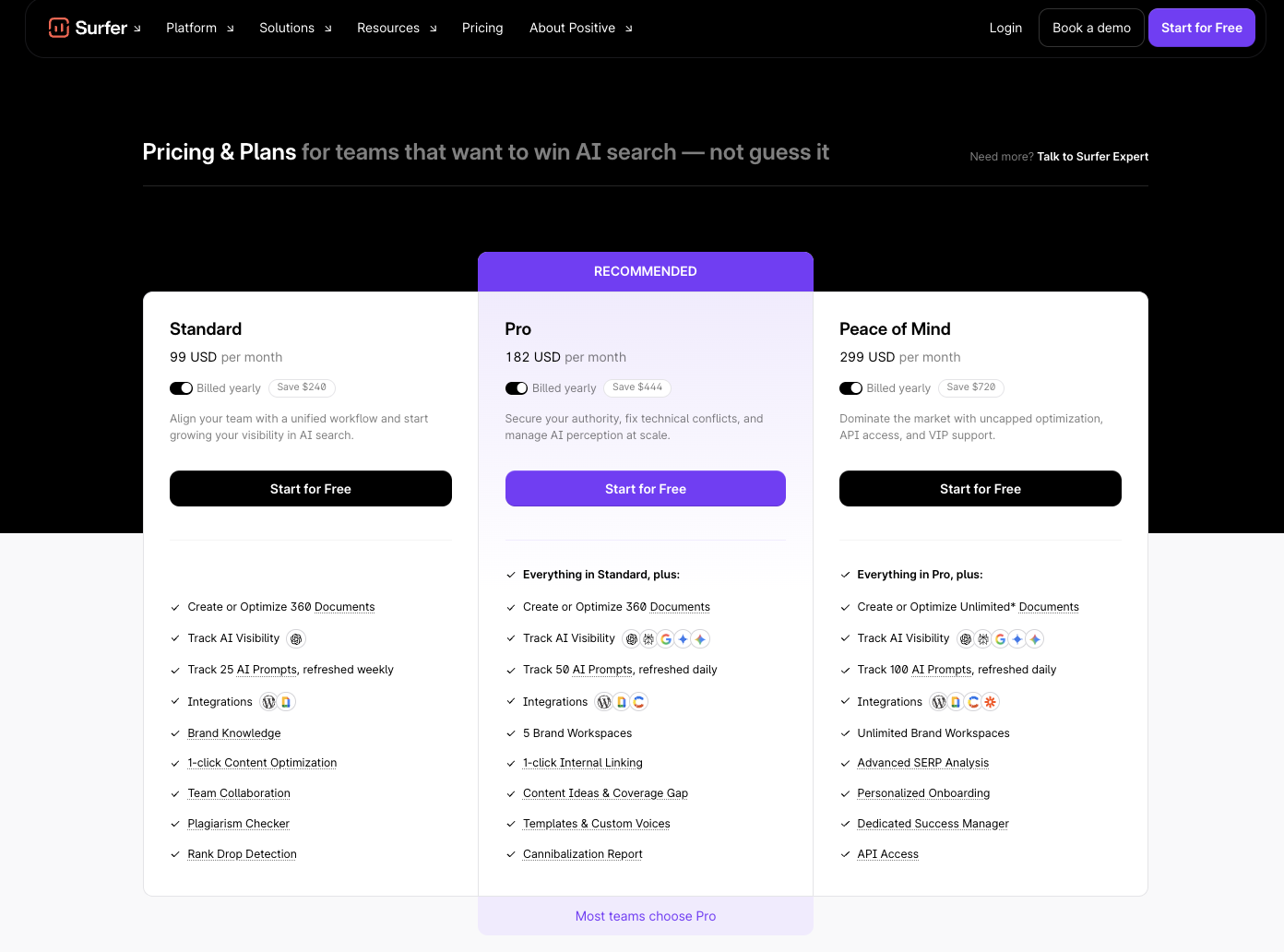
SurferSEO’s core plans in 2026 are still structured around Essential, Scale, and Enterprise tiers, with pricing dropping if you commit annually.
The Scale plan — the one most content teams end up on — sits in the $200+/month range and includes a batch of Content Editor articles, AI-generated articles, and content audits each month.
Where it gets more expensive is the add-ons, and this is worth being blunt about:
- AI Tracker comes with a small number of included prompts on Scale, but tracking more prompts costs extra — expect to pay roughly $95/month for a meaningful prompt allowance.
- SERP Analyzer is not automatically bundled into every plan. On my account, it’s shown as a feature I’d need to upgrade for, not something included by default.
- Rank Tracker is a separate paid add-on starting at $8.50/month, and that’s not included in the base subscription price either.
None of these add-ons are unreasonable individually, but they add up fast if you assume your monthly subscription covers everything. Budget for the base plan and whichever add-ons your workflow actually needs — don’t assume the sticker price is the real price.
Real Workflow Tips for Content Teams
A few practical lessons from using SurferSEO regularly across client work:
1. Optimize before you build out images.
If you’re publishing to WordPress, run your content through SurferSEO’s Content Editor and get the structure, headings, and word count locked in before you source or create images.
Restructuring content after the fact usually means redoing image placement, alt text, and formatting — a waste of time that’s easy to avoid by sequencing the work correctly.
2. Never skip the human editing pass
Auto-Optimize is a starting point, not a finished product. Every piece needs a human editor reviewing sentence length, tone, and flow before it goes live.
3. Build your competitor list deliberately
This applies to both the SERP-based competitor tracking and the AI Visibility competitor list. Garbage in, garbage out — if the wrong sites are in your comparison set, every recommendation downstream is compromised.
4. Use Fanout Queries to plan content clusters, not just single articles
Instead of writing one page per keyword, look at the related questions AI models generate around a topic and build supporting content that answers the full cluster. This is where AI visibility and traditional topical authority genuinely overlap.
5. Treat the Content Score as a floor, not a ceiling
Hitting 90+ doesn’t mean you’re done. Read the piece out loud, or have someone unfamiliar with the topic read it, before publishing.
Who Should Use SurferSEO (and Who Shouldn’t)
Good fit if you:
- Manage a content team or freelance writers who need structured briefs
- Publish consistently enough to justify a monthly optimization tool
- Already have a writing workflow and just need the optimization layer
- Want a single platform for both SEO and AI visibility tracking
Not a great fit if you:
- Need a tool that also writes and publishes content end-to-end with minimal editing (SurferSEO still assumes you have a writer or editor in the loop)
- Are producing very low volumes of content and can’t justify the add-on costs
- Need deep multilingual NLP support outside a handful of core languages
Final Verdict SurferSEO
SurferSEO earns its place in a content team’s toolkit in 2026, but it’s not a “set it and forget it” platform, and it’s not the all-in-one solution its marketing sometimes implies. The Content Editor is genuinely strong and worth the base subscription on its own.
The AI Visibility tools are a smart addition for teams thinking seriously about GEO/AEO, but they require careful setup to be useful, and the meaningful data lives behind add-ons that cost extra.
If you go in with clear expectations about what’s included versus what you’ll need to pay more for, SurferSEO is a solid, mature choice — just budget for the full toolkit, not just the base plan.